How to create an account & redeem a coupon
Has your school, course or tutor given you a coupon code? Follow the steps below to activate your free membership in a few minutes.
From nothing to practising in five steps
Already have an account? Skip straight to step 3.
1 Create a free account
Open the sign-up page and enter your name, phone, email and a password (at least 8 characters, typed twice). Your email is your login ID; use the name on your card so later purchases match.
2 Sign in
You are signed in automatically after registering. Next time, click “Sign in” at the top right and enter your email and password.
3 Open “Redeem a coupon”
On your dashboard click “Redeem coupon”, or open this page directly:
4 Enter and redeem your code
Paste or type the 12-character code from your tutor, then press Redeem. It is not case-sensitive and the dashes are optional — E8JX-N3ZE-GK49 and e8jxn3zegk49 are the same code.
5 Start practising
Seeing “Success! Your membership is now active.” means you are done. Return to your dashboard — the unlocked paper appears under “My papers”, ready for practice or a timed mock exam.
Each step, as it actually looks
All captured from the live platform (light theme).
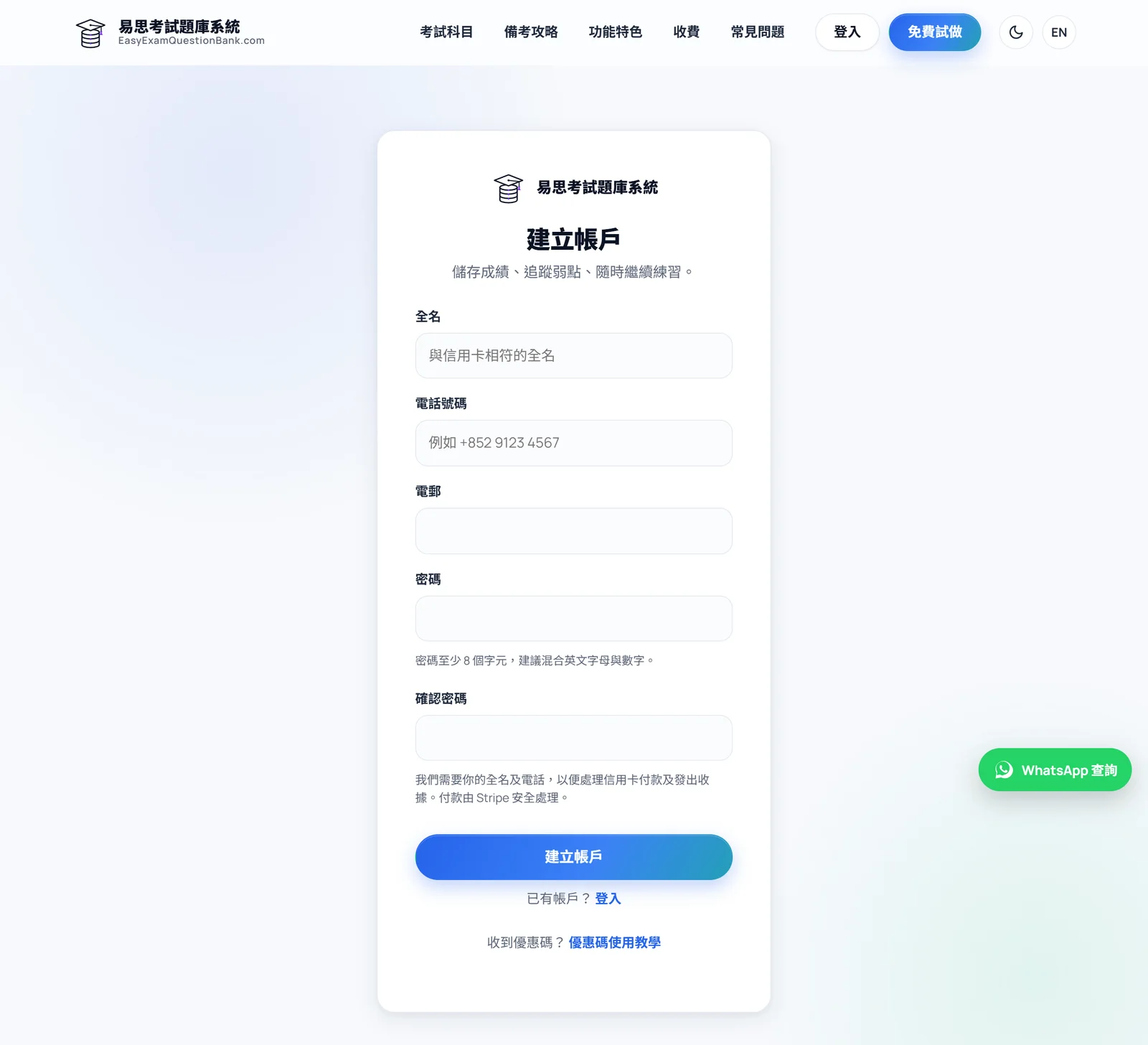
Step 1: create a free account
Enter your name, phone, email and a password (at least 8 characters, typed twice). Your email is your login ID, and no credit card is needed.
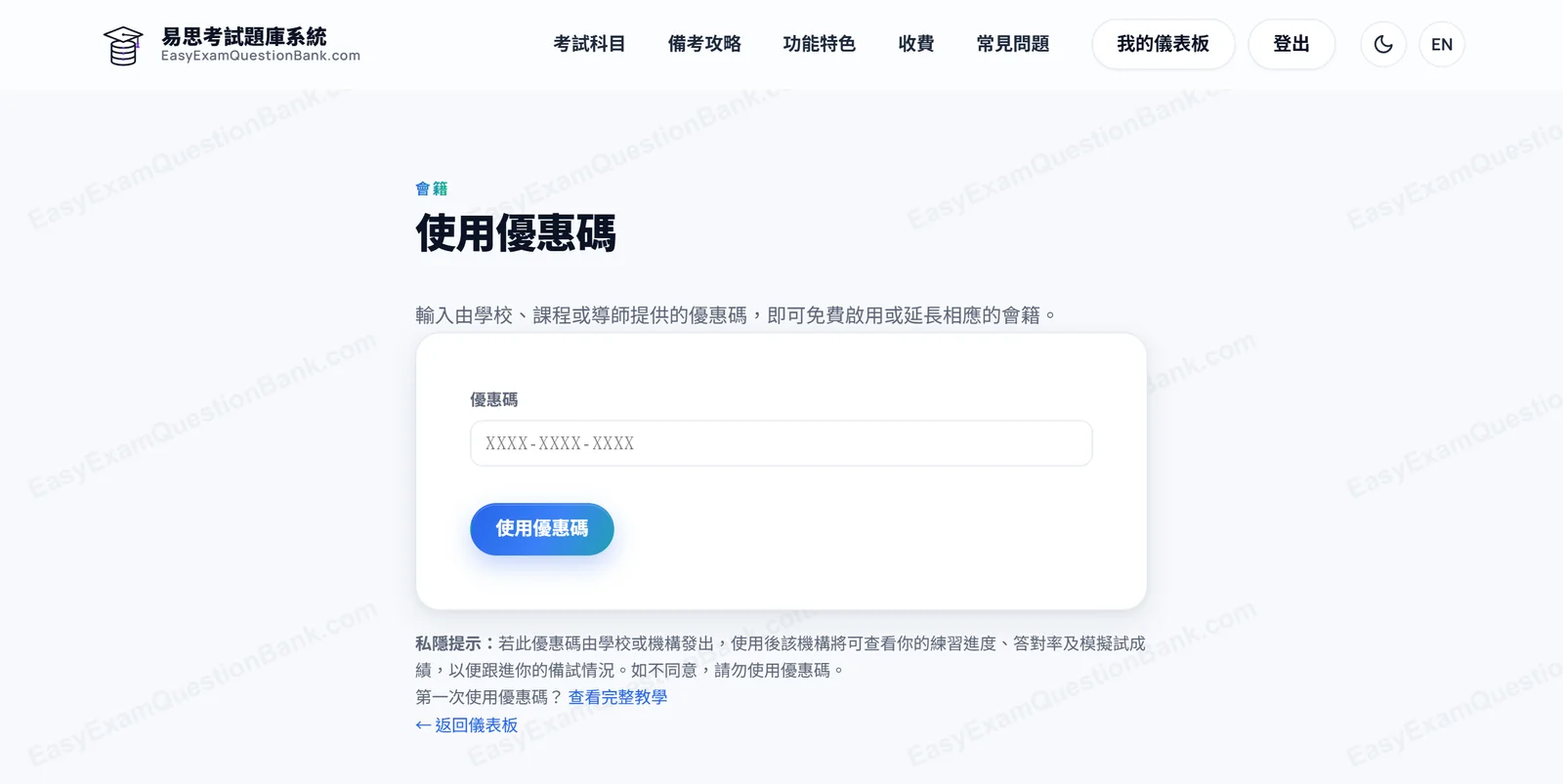
Step 3: enter your code
Paste or type the 12-character code, then press Redeem. It is not case-sensitive and the dashes are optional.
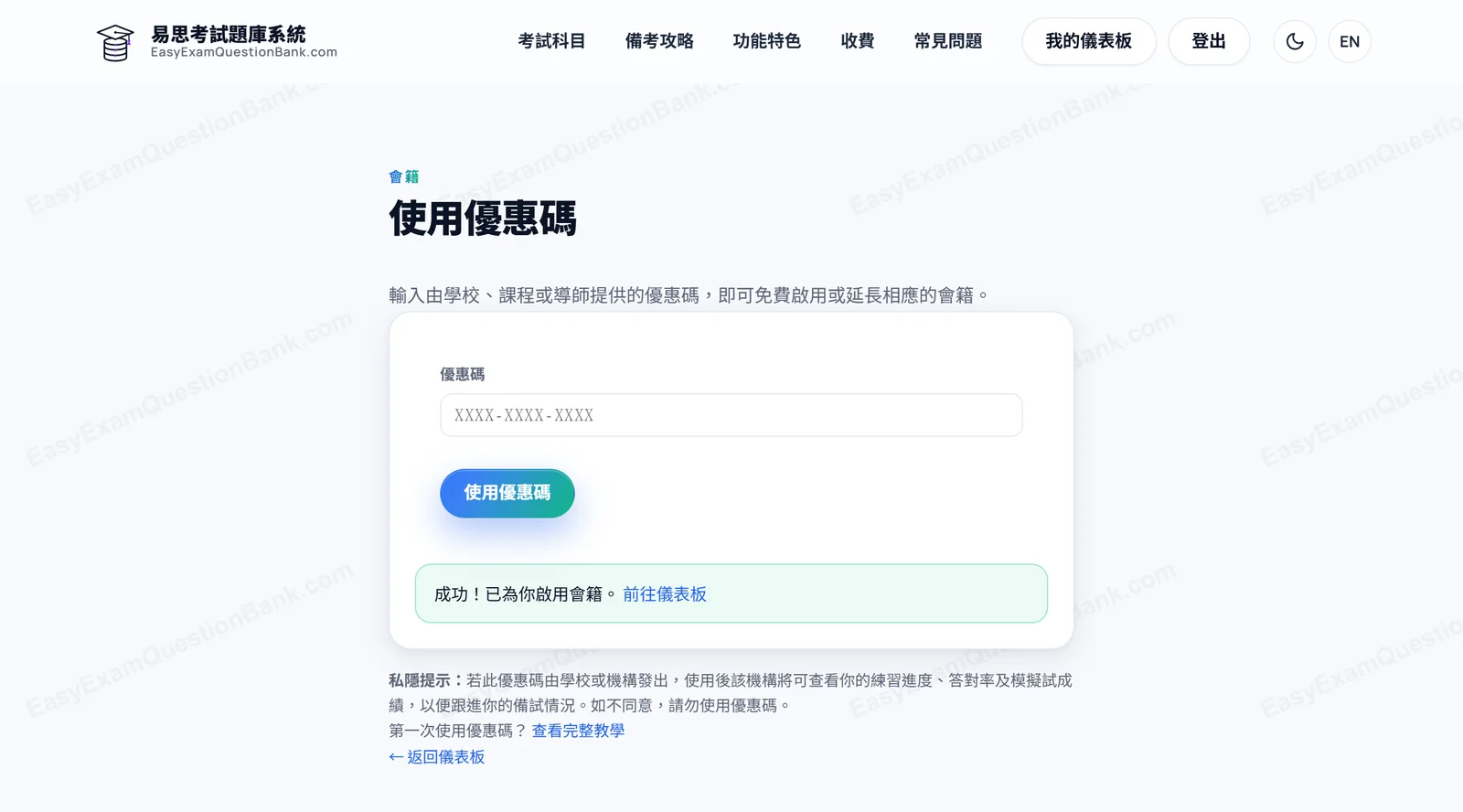
Done: your membership is active
When you see “Success! Your membership is now active.” you are done. Head back to your dashboard — the unlocked paper is ready to practise.
Before you redeem (privacy)
Privacy notice: If this coupon was issued by a school or organisation, redeeming it lets that organisation view your practice progress, accuracy and mock-exam results to support your preparation. Do not redeem if you do not agree — you can keep using the free practice quizzes instead.
Coupon not working?
These are the messages the platform can show you, and what each one means.
It says “Coupon not found” — what now?
This is almost always a typo. Codes are not case-sensitive and the dashes are optional, so check each character (our codes deliberately exclude 0/O and 1/I/L to avoid confusion). If it still fails, ask whoever gave you the code to re-send it.
What does “fully used” mean?
Each code works once, for one person, and this one has already been claimed. Ask your tutor or school for another code.
It says I already redeemed this code
Your account has already redeemed it, so the membership is active — there is nothing more to enter. Open your dashboard; the unlocked paper is listed under “My papers”.
It says the coupon has expired
Coupons carry an expiry date and this one has passed it. Ask your tutor or school for a new code.
It says the coupon has been disabled
The organisation that issued it has cancelled this code. Please check with your tutor or school.
It says “Please log in again”
Your session timed out from inactivity. Log in again, return to Redeem a coupon and enter the code — the code itself is unaffected.
Still stuck? Reach us on WhatsApp (bottom-right) or by email.